Prayer times, on autopilot.

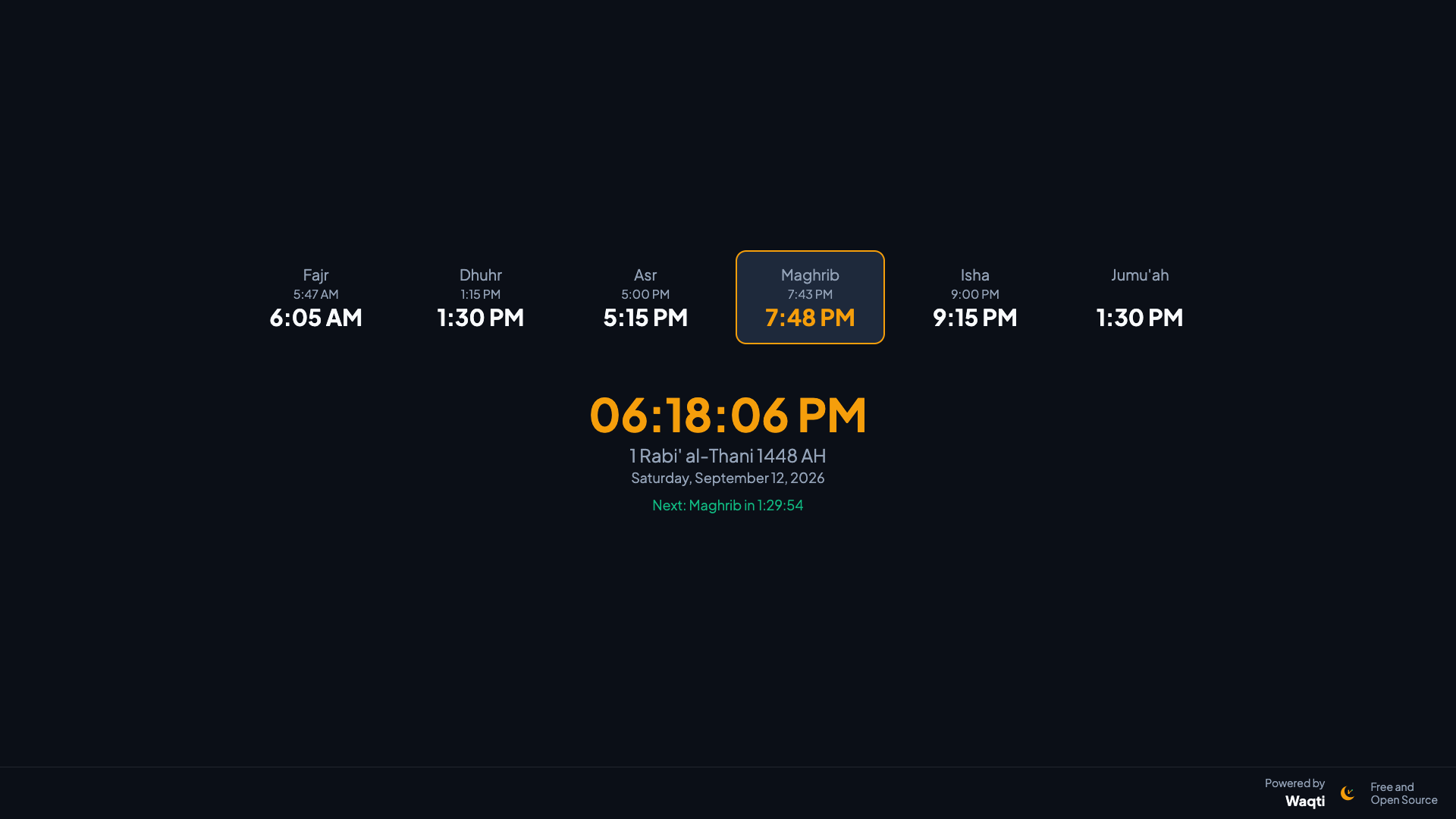
Free, open-source, offline-first digital signage for masjids — prayer times, Hijri date, announcements, and Janazah alerts, running on a screen you already own.

Waqti kiosk display showing prayer times, Hijri date, and a live clock
MIT licensed No internet required to run Single .exe, no install No recurring cost

Everything a masjid screen needs

Nothing more, nothing less — built from real feedback at a live masjid deployment.

🕌

Accurate prayer times

Astronomical calculation with your choice of method (ISNA, MWL, Umm al-Qura, and more), plus the Hijri date alongside the Gregorian one.

✍️

Exact, not confusing

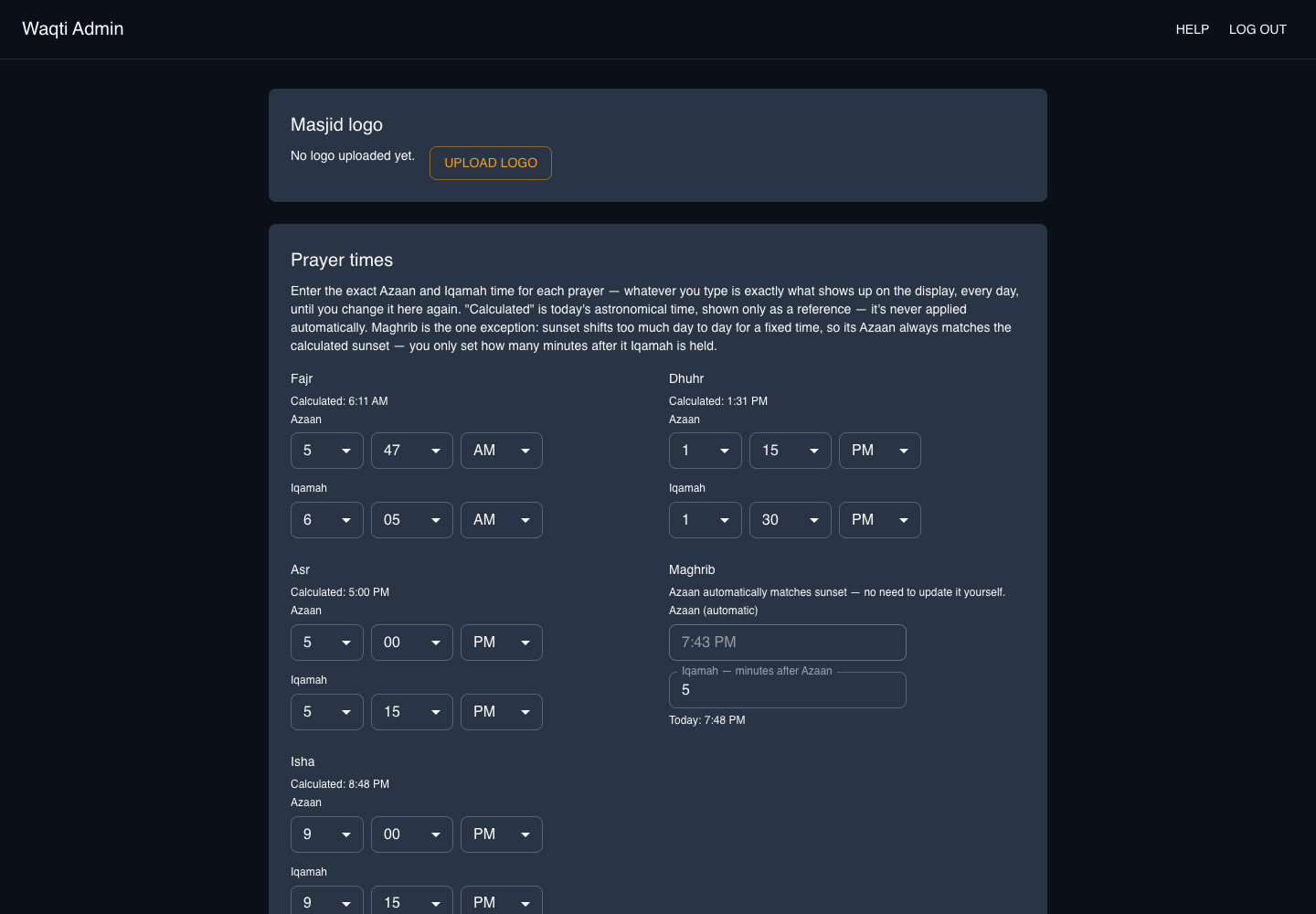
Type the real Azaan and Iqamah time for each prayer, same as a printed schedule. Maghrib automatically tracks sunset so it's never stale.

📶

Offline-first

Runs entirely on its own once configured — no internet dependency for core function, no third-party API, no recurring cost.

🖼️

Flyers & announcements

Upload image flyers or text/verse slides — Full Screen or In Screen, shown above the prayer-times ribbon, your choice.

📵

Iqamah countdown

An automatic countdown before each prayer and a "silence your phone" reminder for a configurable window afterward.

🚨

Janazah alerts

One click from the admin panel publishes a full-screen emergency notice to every connected display, instantly.
Waqti admin panel showing the Prayer Times section

An admin panel non-technical staff can actually use

No jargon, no offsets to puzzle over — every setting is either a plain time, a switch, or a short number, with an in-app Help page for anyone who gets stuck.

  • Exact Azaan/Iqamah times per prayer, Jumu'ah 1 or 2
  • Font size, Gregorian date toggle, silence-screen duration
  • Optional weather (°F or °C), masjid name & logo banner
  • One-time passphrase login, with a built-in recovery flow

Get started in minutes

No database to install, no server to rent — just an executable and a screen.

1

Download

Grab waqti.exe from the latest release — no other tools required on the kiosk PC.

2

Run it

Double-click to start. The one-time admin passphrase prints to the console on first run.

3

Configure & display

Open /admin to set your location and prayer times, /display on the kiosk screen.

Free forever. No account required.

Waqti is MIT licensed — download it, run it, modify it, self-host it.